In this article
1. Product Introduction
Dear valued customer, thank you for choosing to use Media.io.
Media.io is a one-stop short video generation and production tool that focuses on creating one-stop short videos. With its powerful AI technology and rich features, it helps users easily and efficiently complete their video creation, and improves production efficiency in all aspects.
Core Features
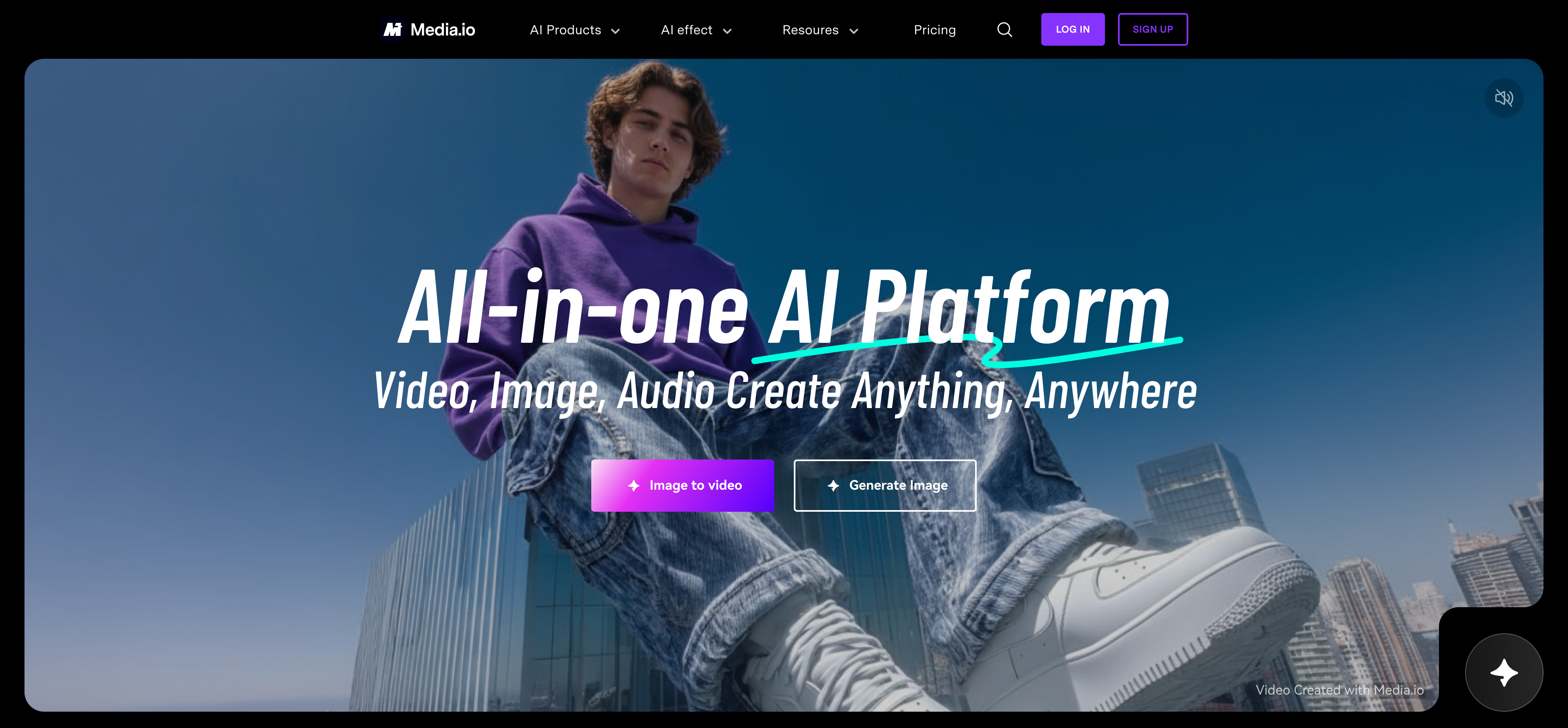
● AI Video Generator: Whether you enter text descriptions or upload images, you can quickly generate vivid video content. Users only need to input a simple text, such as “sailboat at sunset”, and the system will generate a realistic and dynamic video according to the description. In addition, uploading a static picture, the system can also transform it into a video with dynamic effects, such as simulating natural wind and grass movement or adding character movements.
● Explore our templates: We provide a rich variety of AI Video templates, covering a variety of common scenes and styles, all of which can be found suitable templates to meet the creative needs of different users.
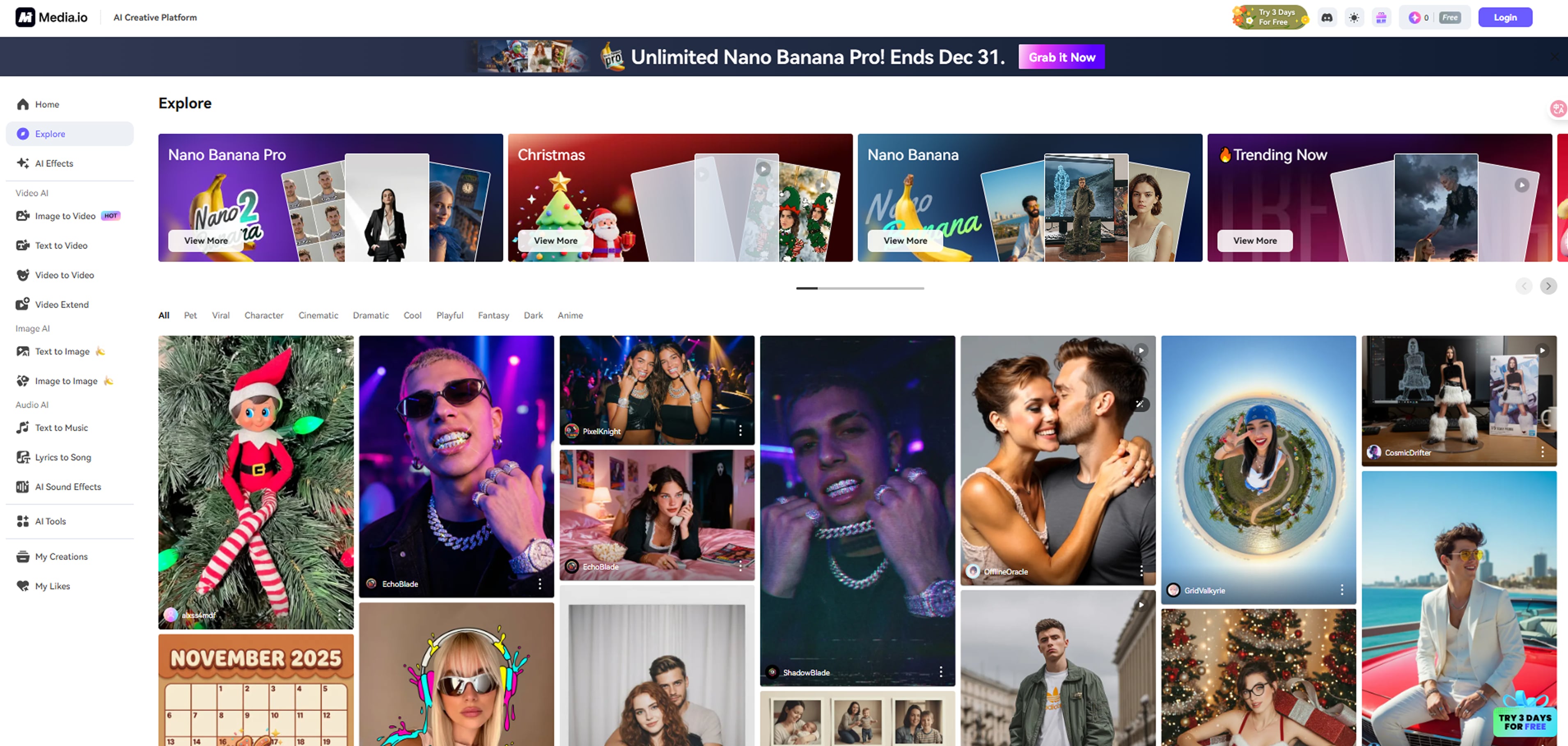
● Image Generation Video: After uploading images, we can give dynamic effects to static images with the help of AI technology to make them more attractive.
2. Video Creation

We offer 3 main ways to generate videos: image to video, text to video, and templates to video.
AI Video Feature:
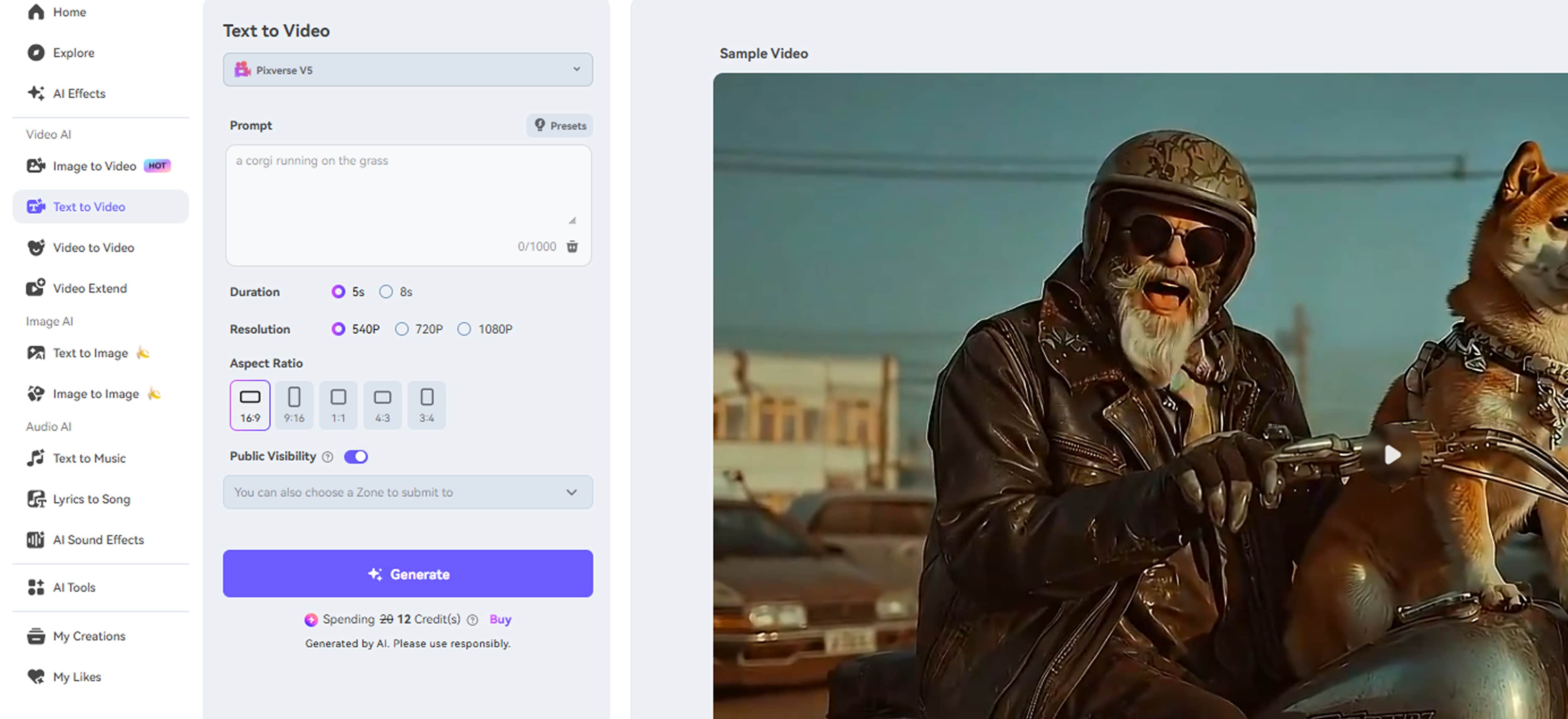
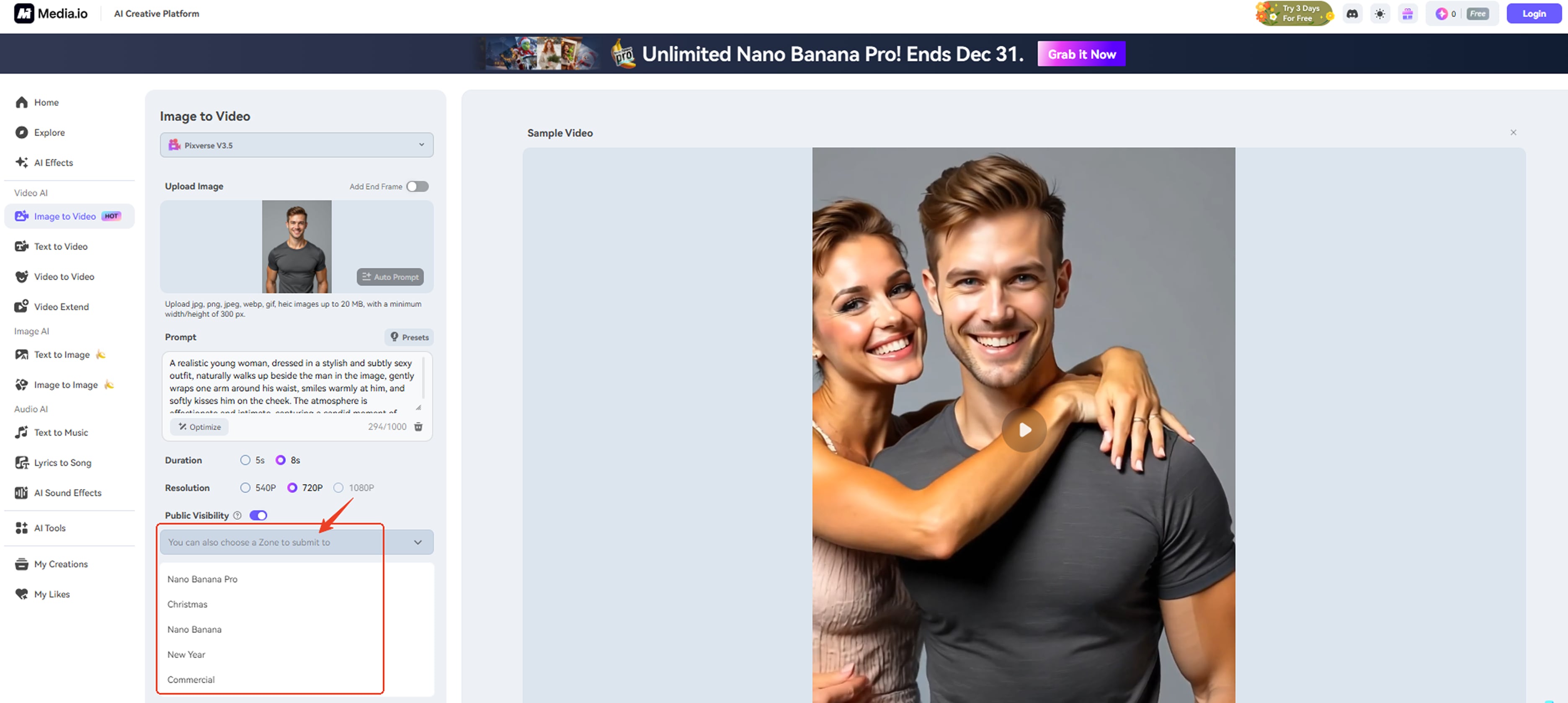
In this interface, you can manipulate different areas to complete your creative expression.
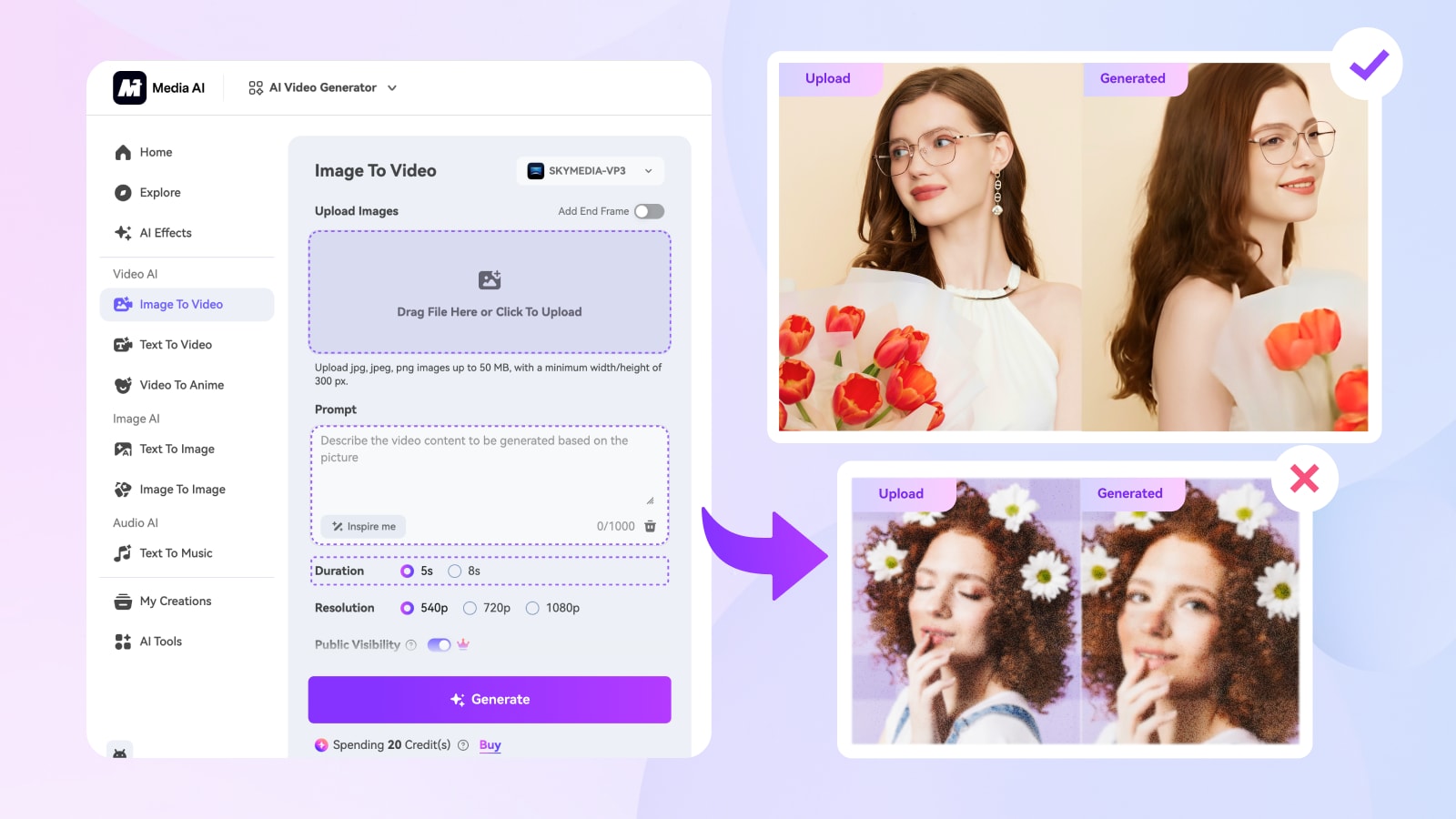
-
Upload Image: You can upload a single image here. This image will serve as the foundational material for video generation. The AI system will use this image as a reference to create a video related to it. For example, if you upload a landscape picture, the AI may generate a video themed around that landscape, showing changes and dynamic effects within the scene. (Tip: It is recommended to choose clear and high-quality images to ensure better video results.)
- Prompt: You can input a text description here based on the uploaded image to guide the AI in generating a video. For example, if you upload a picture of an apple and enter “The apple grows arms and legs and runs towards the distance,” the AI will generate the corresponding video.
- Duration: You can choose different durations based on your needs. For example, if you need a short video for social media sharing, you can select a shorter duration; if it is part of a video project, you can choose a longer duration.
- Audio: You can choose to add audio to the generated video.
- Resolution: You can choose the clarity of the generated video. We offer multiple resolution options, such as Fast (720p) and High Definition (1080p). The higher the resolution, the clearer the video quality and the richer the details.
- Video Ratio: You can choose the ratio of the video size you need. We provide different sizes for you to choose.
Feel free to submit your work to our zone. Choose the category you’d like to contribute to, and after approval, your work will be featured and shared with others.
3. Picture Creation
For image generation, you can choose between text-to-image or image-to-image. We’ve integrated many of the latest and most powerful generation models—just unleash your creativity, and we’ll bring it to life.
AI Image Feature:
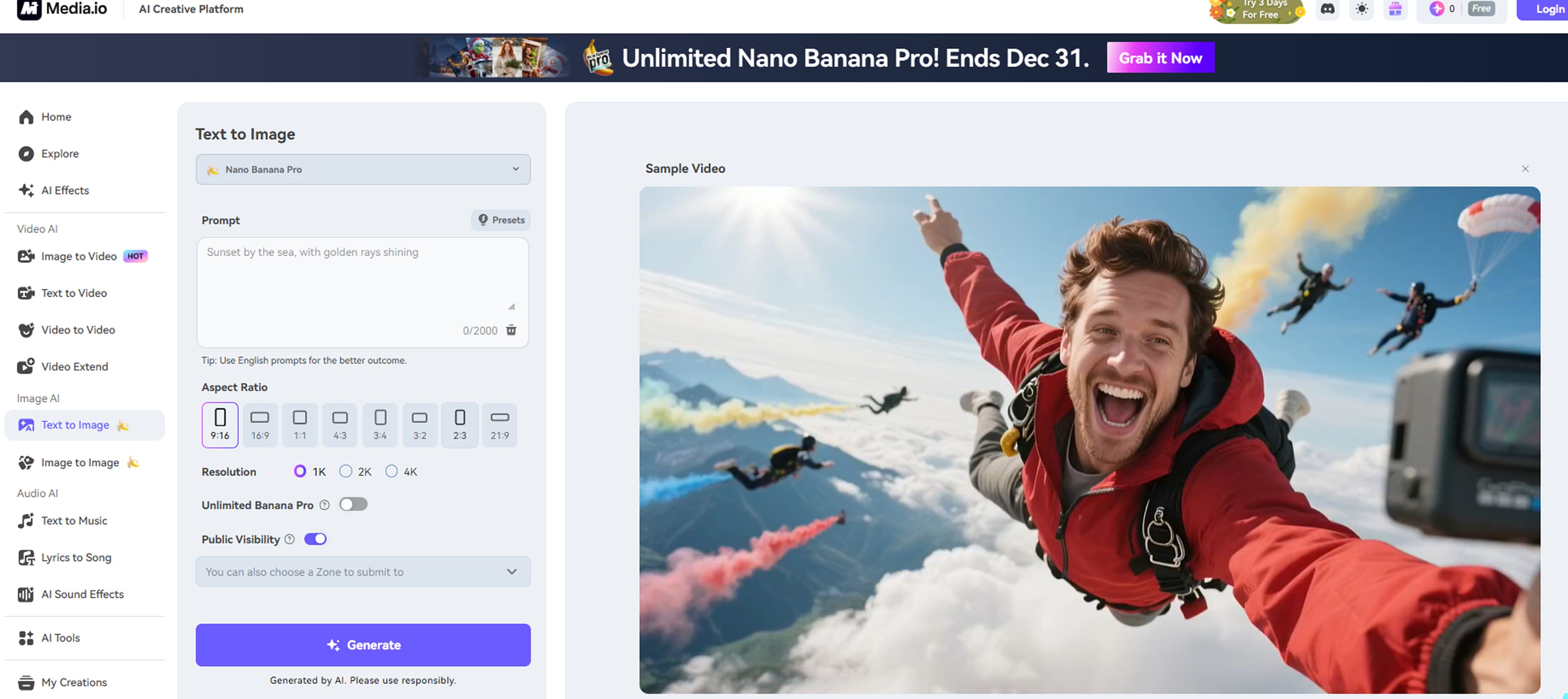
In this interface, you can manipulate different areas to complete your creative expression.
- Prompt: You can fill in this area with whatever you want to create. Whether it's “roses covered with dewdrops in the morning”, or “happy teenagers playing on the beach”, or “a brightly shining river of stars”. Whatever you want to see, you can bring your imagination into play here. Please note that you can enter up to 500 characters here to ensure the quality of your creation. Alternatively, you can quickly remove the text from the box by clicking on the delete button in the bottom right corner. Please be careful, the deletion is not reversible.
- Resolution: You can choose the image quality you want to generate. We provide different resolution options for you to choose.
- Image Ratio: You can choose the ratio of the image size you need, we provide different sizes for you to choose.
4. Text to Music
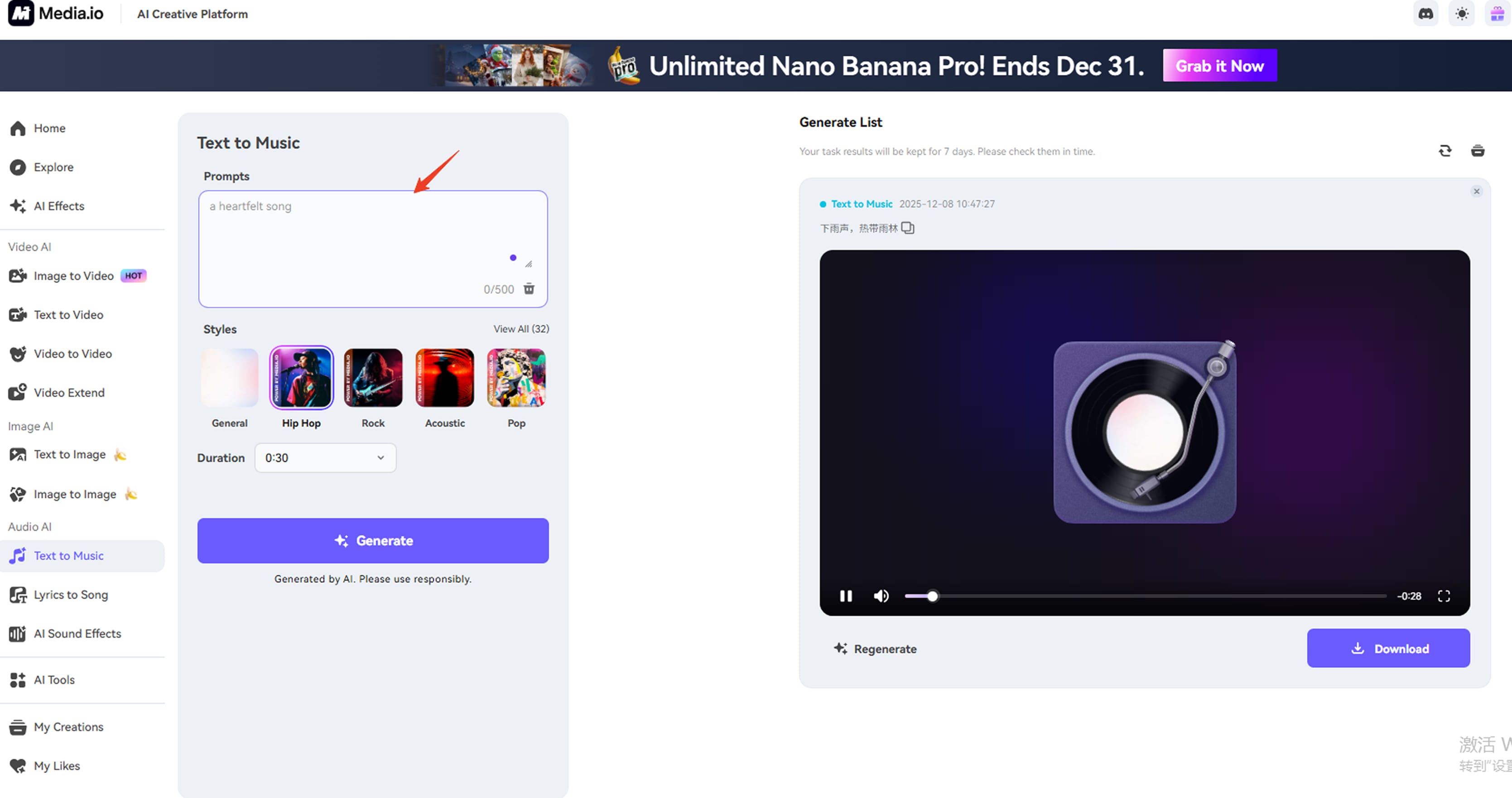
With Text to Music, all you need to do is enter a short description, and we’ll generate a complete piece of music for you. No music skills required—you’re the composer, and we bring your ideas to life.
You can freely choose your preferred music style from 32 available options, including Hip Hop, Rock, Acoustic, Pop, and more. You can also select the music duration, ranging from 30 seconds up to 5 minutes, fully customizable to your needs.
With this powerful tool, there’s no need to spend time searching for the perfect background music anymore. Just create it yourself—fast, easy, and tailored to you.
Ready to turn your ideas into music? Give it a try now ! 🎵
Part 5. Export, Share and Cloud Backup

After you've finished creating your works, it's time to go ahead and download the results you need. In this section, I'll walk you through how your work is saved in the cloud, how to export and download, and how to share your results with your friends and family or post them on your favorite social media.
Do you need to find your own generated results? You can see all generated results on the My Space page.
Please note:
1. The video and image results are stored in separate tabs, so please switch to the corresponding tabs to view them; the Videos tab contains all your video results, and the Photos tab contains all your image results.
2. The example in the picture shows the result being generated, please wait patiently, your result will be coming soon! Please note, however, that you will need to maintain an internet connection in order to successfully receive your results. If your internet connection is interrupted in the middle of the process, you may not be able to receive your results correctly.
3. This is your successfully generated result, click on this result to preview your generated result.
Please note that at the moment we will only save the generated results for 7 days for our users, so please don't forget to download your favorite results to your phone in case they are lost.
If you need to download your generated results locally, please open your generated results and select the “Download” button.
When downloading, please make sure that you have granted Media.io storage privileges and that you have enough storage space for your generated results.
Do you want to share your masterpiece with your friends and family or post your work on social media?
No problem, we have made it easy for you to share.
You can find the share button on the result page to quickly share your result with each other.
6. AI Tools
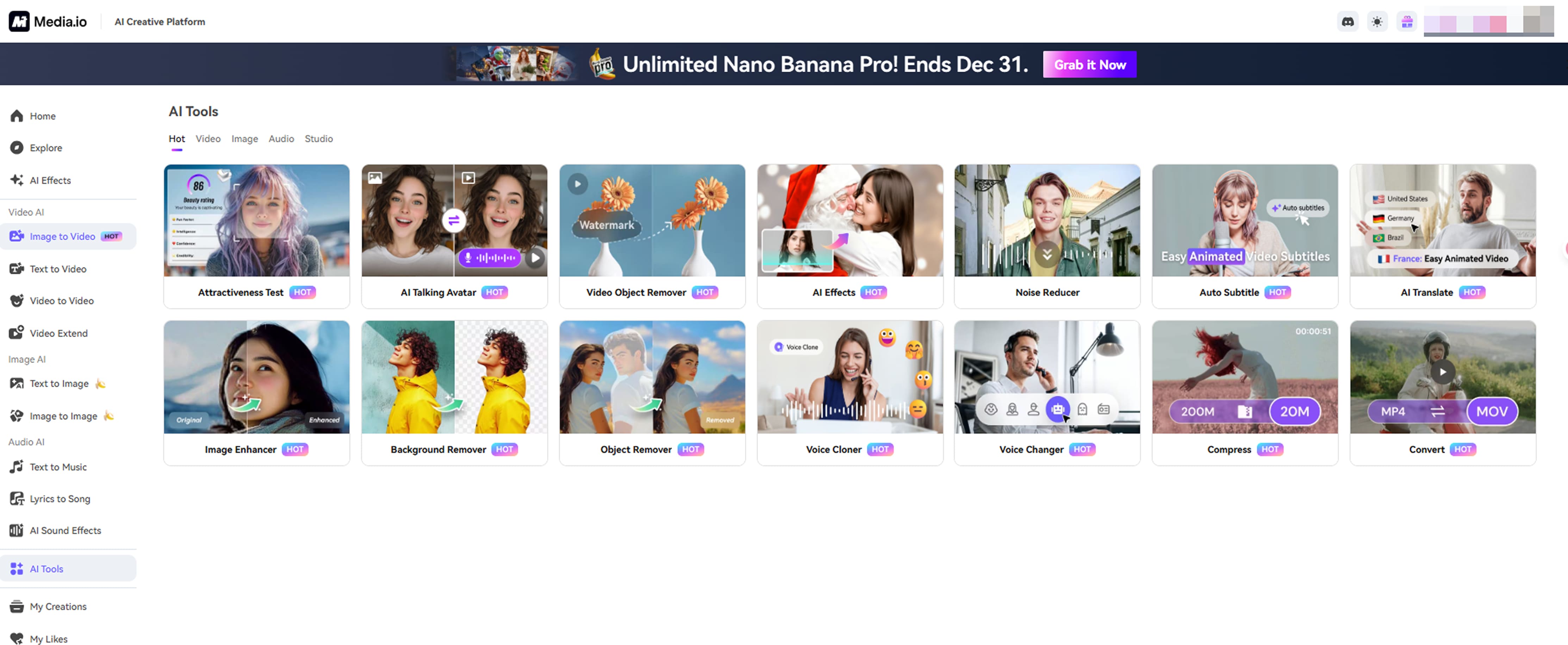
Our platform offers a wide range of AI tools designed to simplify video, image, and audio creation. From content generation and editing to enhancement and transformation, these tools help creators turn ideas into high-quality results quickly and effortlessly.
7. User Feedback
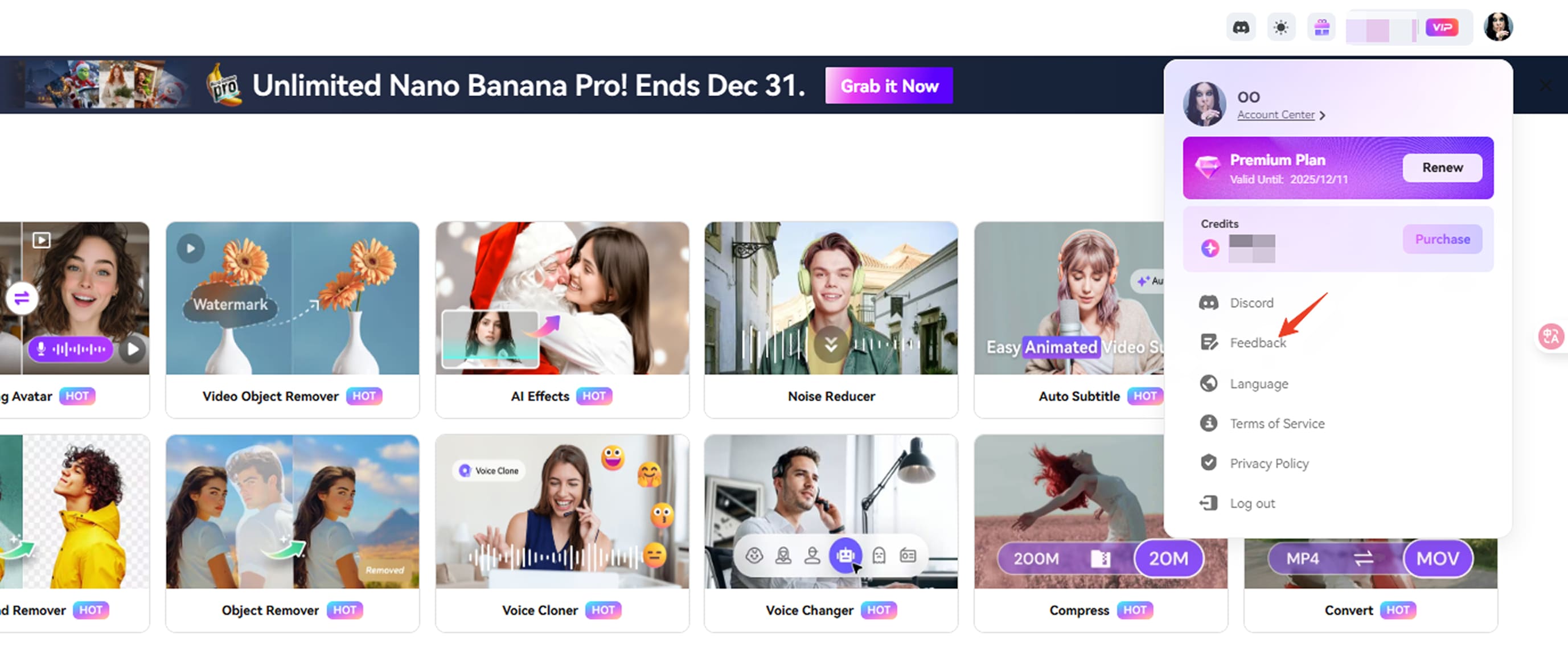
Are you experiencing any difficulties in using the program? No worries! You can find our User Feedback feature here and send us all your feedback.
What's the malfunctioning problem with the app? Have a desired style or play style? Want to give us comments or suggestions? Want to talk to us directly?
No problem, you can choose to use the user feedback function to get in touch with us.
You can find the user feedback function here and fill out the questionnaire, we will check and solve your problem as soon as possible!
If you’d like to connect with other creators, get the latest official updates, and unlock more exclusive benefits, don’t forget to join our Discord community.


